Since seeing Azgaar's Fantasy Map Generator, and watabou's city generator I have been interested in using Voronoi cells to generate terrain and cities for a few reasons:
- Cells can create very natural looking shapes.
- Cells have very powerful geometric relationships allowing easy mesh generation and graph traversal both between cells and on cell edges.
- Cells are a convenient data structure to hold the tag based information needed for successful procgen.
Finding delaunator (which I used in https://acarling.au) was what brought everything together.
The Generator
The generator runs through a series of pipeline steps like so:
Init
- Generate climate maps
- Voronoi (delaunator)
- Rivers (see below for video)
	- Erosion
	- Mesh generation

- Mark Catural Cells
	- Coastal Access?
	- Avg Rainfall
	- Is Cliff?
	- Is Mountain?
	- Defensibility
	- Settlment suitability

- Initialise regions
	- Group like-marked cells into regions i.e mountains/forests/coasts
	- Seed realms (see below for video)
	- Spawn capitals
		- Generate highways
	- Spawn Towns
		- Generate minor roads
Rivers
The below video shows the generator running. It creates realistic (though low poly) ridged mountain terrain and river valleys
River volume is determined by the sum of uphill volume + some volume determined by a rainfall map generated in the initialisation step.
Procedural river geometry
To get rivers of a certain volume rendered as actual geometry I looked into mesh tessellation.
First I needed to mark all tris which should be tessellated and their boundaries, so I don't generate extra verts along non-tessellated edges. The delaunator data structure and a set of helper methods I wrote made this very light work:
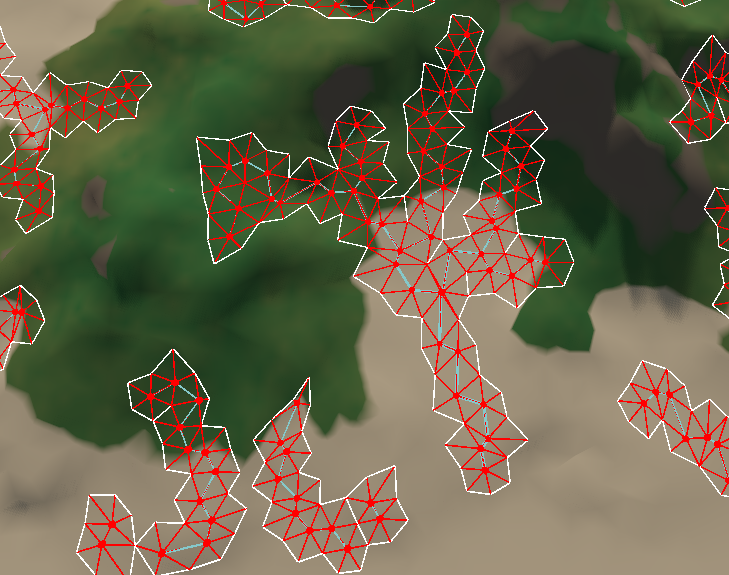
Attempt 1:
My first attempt got me extra tris, but the topology wasn't oriented along the river so it resulted in jagged zigzagged banks.
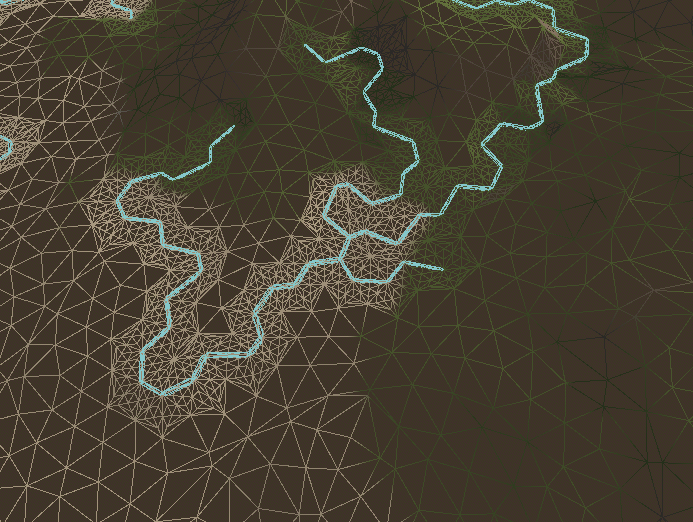
Attempt 2:
Attempt two was a more methodical approach which resulted in significantly better geometry for displacement.
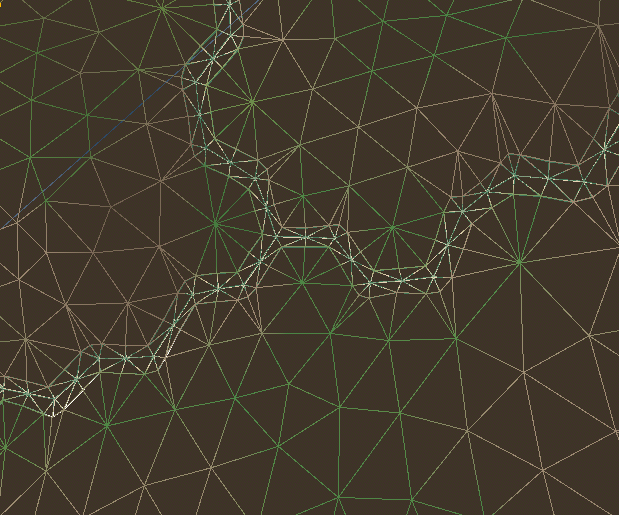
During the generation process I set the vertex colour to mark vertices in the river bank. This allows me to both draw the sandy shore in my shader and also duplicate the pre-displaced geometry to form the river water mesh itself.
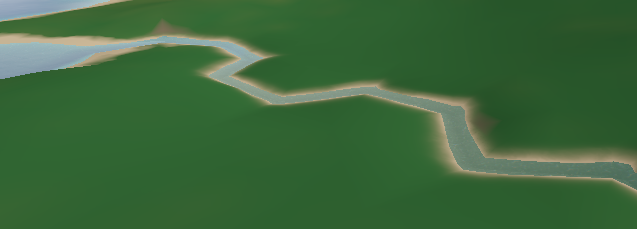
(River in the terrain with the bank drawn as a part of the terrain shader)
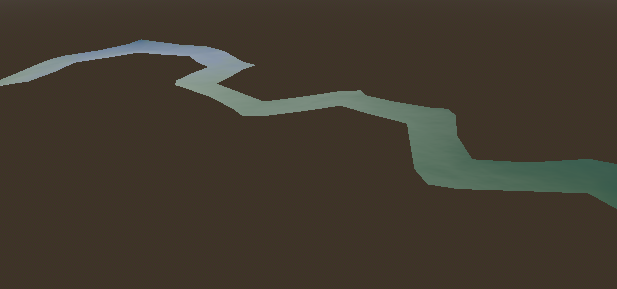
(Isolated river mesh)
Regions:
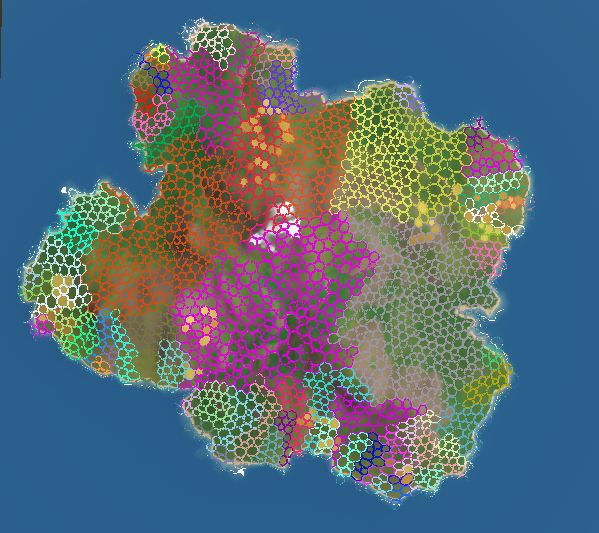
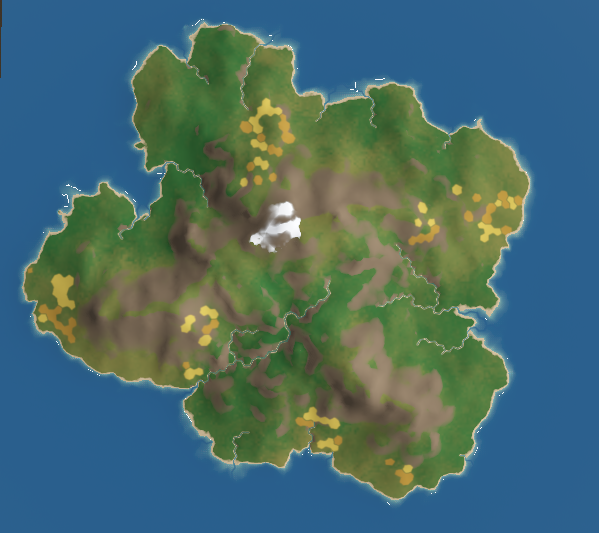
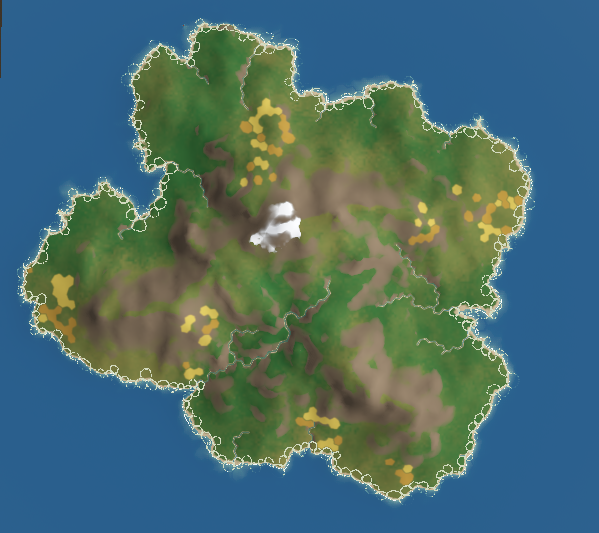
Regions are my favourite part of this project. I intend to eventually do significantly more mesh generation to flesh them out with buildings, crops, trees, and rocks.
1 / 7
New regions are extremely easy for me to define. I wrote a flood fill grouping algorithm which will group regions of cells based on some criteria and spit out a list of regions, all I need to do is create a region generator function:
gdscriptconst MOUNTAIN_THRESHOLD = 20

# The lambda we pass to floodFillSearch
# DualGrid is the underlying delaunator datastructure with extras
var isMountain = func(cID: int, dg: DualGrid) -> bool:
	# get cell centroid
	var centroid = dg.CGH.getCentroid(cID)
	if centroid.y >= MOUNTAIN_THRESHOLD:
		return true
	return false

# boilerplate for converting cell arrays to regions
func gen_Mountain(parentRegion: IRegion, dg: DualGrid) -> Array[MountainRegion]:
	var ret: Array[MountainRegion] = []

	var regionCells := floodFillSearch(dg, parentRegion, isMountain)

	for cells: PackedInt32Array in regionCells:
		var region := MountainRegion.new(cells)
		ret.append(region)
	return ret
I can then query my regions like so
gdscript# Where T is the region type
root.cellDatabase.cells[cID].belongsToRegionOfType(T)
This method makes it easy to quickly define a bunch of data regions but also allows the flexibility to do more complex behaviour like generating realms which needs to take travel difficulty from each point to the capital into account:
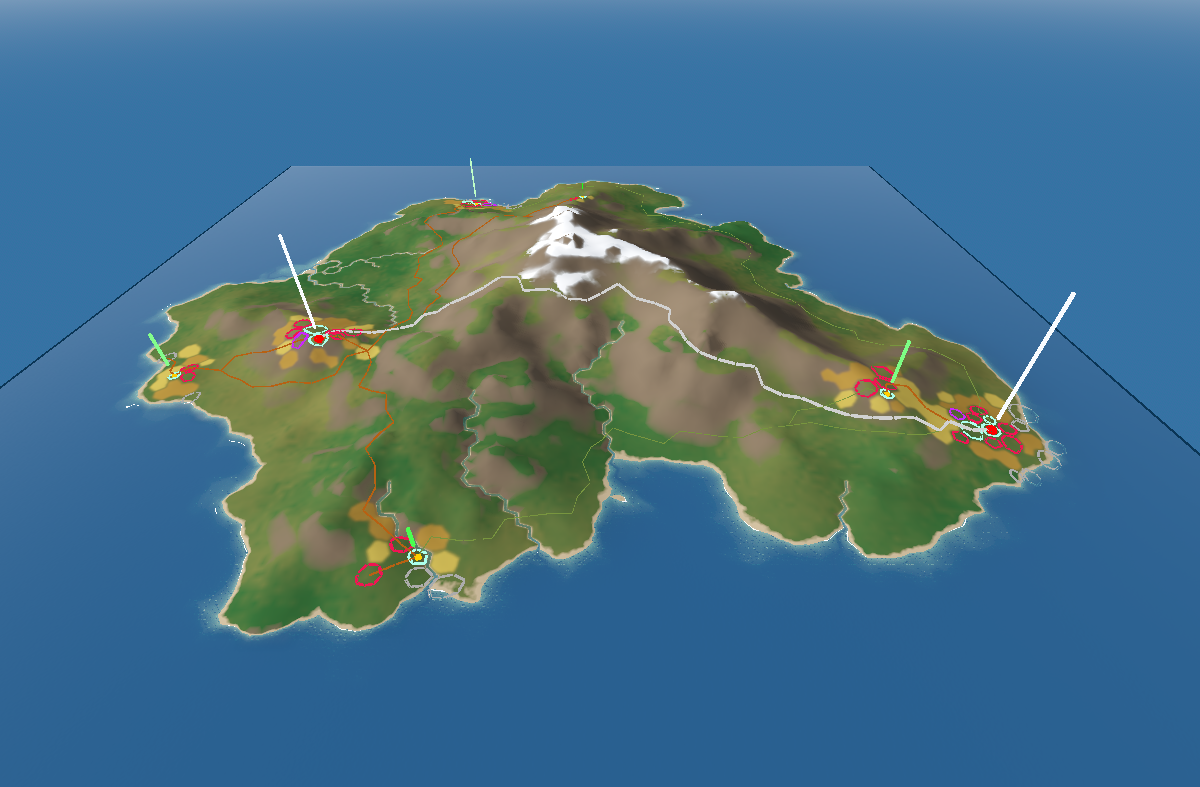
Cities:
Cells are marked based on their attractiveness for settlement, for capital cities this is mostly about their resource availability and distance from other capitals. For Towns, they start taking distance from their capital and road availability into account.
When Cities and towns are instantiated they will always build a direct road to their capital and will sometimes build roads to other nearby cities. The white roads are highways and are built between capitals, brown and green are roads and paths and are built between towns.
Roads change the ease of traversal of an edge between cells, so subsequent roads will tend to merge with existing roads.
Each district is placed based on a function which takes a bunch of cell data into account
- E.g. for docks it is mostly determined by distance to City, whether the tile is coastal and whether the tile is a part of a sheltered bay. (notice the far left city is spawned in a sheltered bay as availability boosts its attractiveness)
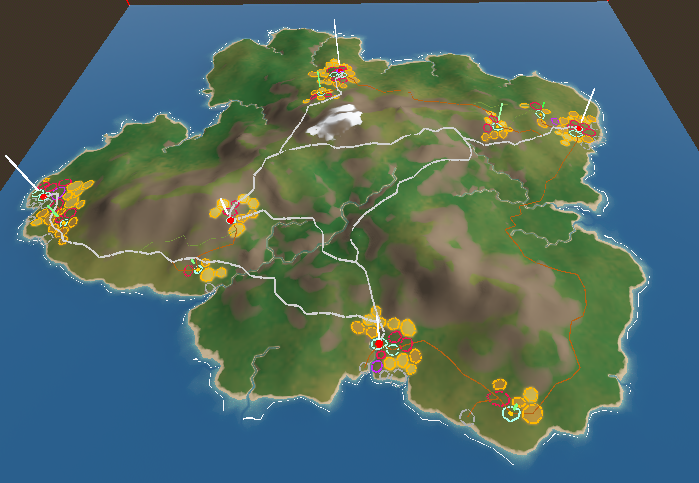
The lines above cities are the relative population (white is a lot, green is a little)
Fields are baked into the terrain by generating temporary geometry and assigning it a red emissive material then taking a top down screenshot. I hope to extend my grass shader to spawn different grasses based on these maps.